In the last two weeks we had really bad problems with malware on our private server.
We wiped everything, and will need some more days to get all the pictures and files back online.
But there are also good news. We redesigned the obj-exporter (now GeoExporter, because we want to add more export otions) library that should work fine with processing-2.0 now. You can get it here.
events, giving feedback, when the user changes something
for more information, please take a look at the java reference. You can download the library package including the source code and 3 Processing examples here.
added the possibility to fix the menue
added the possibility to set a MenueStyle
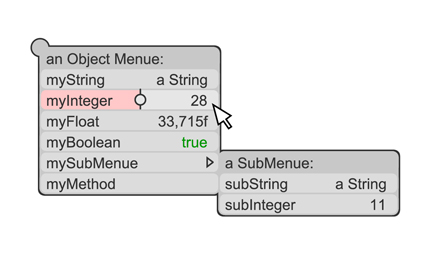
ObjectMenu, is an easy to use library that gives you control over the fields(variables) and methods of an object. A ObjectMenue can be called for every object of a class implementing the ObjectMenueInterface and the appendant public ArrayList getElements(){} method that defines witch fields are accessable, and how they are editable.
Suported:
Boolean
Integer
Float
String
Methods (without arguments)
Submenues (for objects implementing the ObjectMenueInterface)
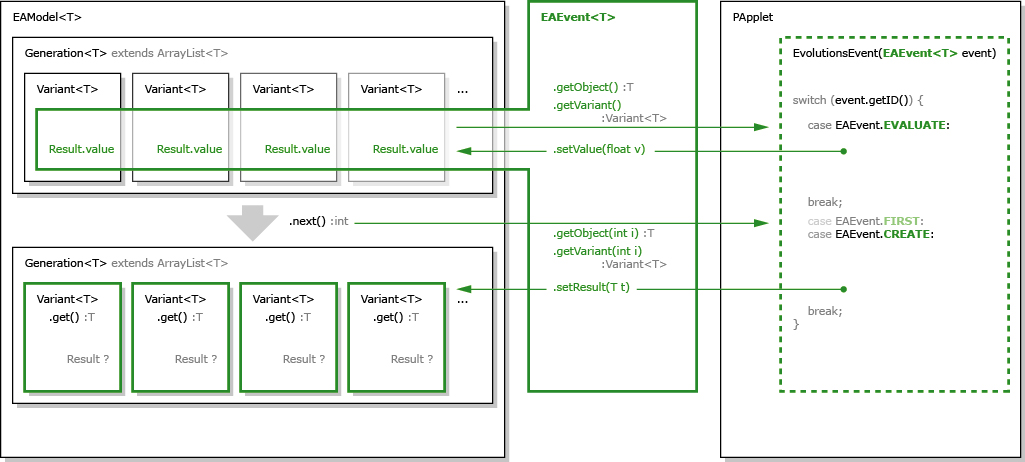
evolutionary algorithms are a wonderful way to solve problems, you do not have the complete knowledge to solve manually. Since we experimented a lot with evolutionary algorithms in the past, we started to build a library for java, that offers the data structure of the algorithm. This is a pre alpha version, its still single core, but its working quite nice allready.
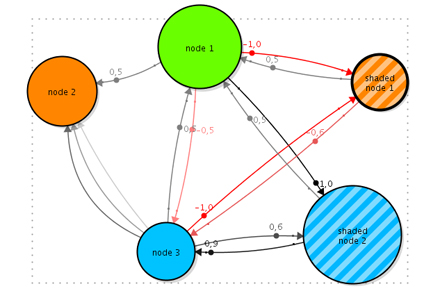
A small library for creating quick drawings of correlation between elements.
You can draw elements, give them colors and names and define relations to other elements. Please take a look at the Processing example, included in the zip file (link below)
Update: XML-export and -import
There are two more functions implemented in the new version: Board.importXML(String fileName), Board.exportXML(String fileName). All Elements and theirs attributes (relations, positions, colors, ...) are saved in an XML file and can be imported into the sketch again.
for more information, please take a look at the java reference. You can download the library package including the source code and a little Processing example here.
We started to merge all the physic based processing sketches into one library. This is the first version of the Particle library for Processing (still buggy and not yet complete). It is a simple mass-and-force simulation, based on fundamental physical laws.
The library makes it possible to explore the physical and material-specific ideal of complex forms and structures. Since the particle system is built on actual physical quantities and units (such as meter, second, newton, ...), it is the aim of the project, to include the behavior of specific materials into the simulation, to explore the interaction of material and form of complex structures.
you can download a zip file including the library and two processing examples and the source code here. Please also take a look at the java reference.
At the moment Octane rendering only works with Windows.
The sourcecode is included with the download, so if everyone is invited to help us make this work on all Systems, please sent me an email, or leave a comment if you have interrest.
Here are a few more flocking experiments, exploring the performance and structure of a swarm with elements of different size and behaviour. There are four setups shown in the video:
All boids are of equal size and move with the same speed
The boids have different sizes, but move with the same speed
The boids have different sizes and act by different behaviours. Small boids are fast and agile, big boids are slow and lazy.
Generally all boids are equal. If they get compressed by many neighbors, they get bigger and faster. When the danger is over, they get normal again.
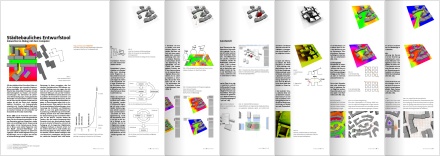
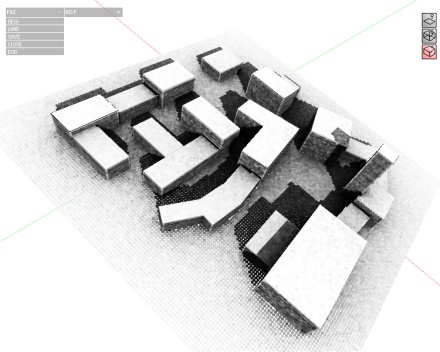
The aim of the project is to question the role of computer-aided design methods in urban development, to ask in which parts of the design process the use of the computer can be appropriate. While commonly the focus of most computer aided design sotware is on drawing layouts, that are defined by various analog methods, it does not give the designer any information about the quality of the design itself.
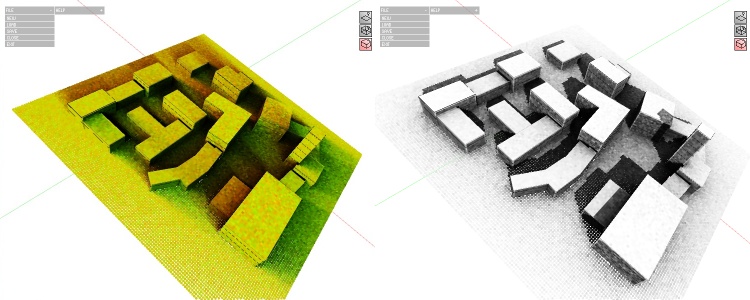
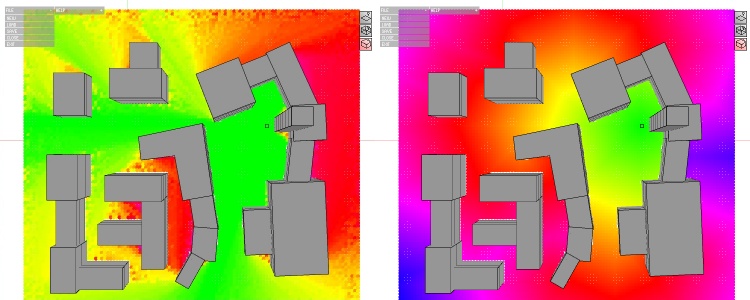
The developed tool assists the designer in an early step of the design process, where basic principles of the layout are defined. While the conditions of the design regarding light, spatial, geometrical and urbanistic context are displayed, it can be addapted in real-time.
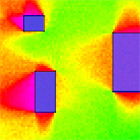
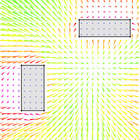
Therefore three kinds of analysis methods are implemented in the tool so far:
Depth of field blur effect in Processing with OpenGL.
There are two different types of materials: spriteMaterial for sprites, such as points, labels, ... and lineMaterial. You define these materials in void setup() (in this case 11 different types of points and one line type). You can actually convert any texture (image + alpha map) into a sprite material, in this example, there is only points and text.
Nature provides a various number of systems, that seem to be of immense complexicity and to act completely unpredictable. On the same time, these systems consist of elements, that follow comprehensible rules regarding to each other and to their environment.
The simulation of those system enables to explore their behaviour and potential regarding self organization and self optimization in design and architecture.
The boids (class boid - black points) move by these five rules:
do not get to close to any of your neighbors
try to swim in the same direction as the neighbors
don't leave the sphere
if you get lost: try to catch up with someone, who's around
run away from the shark
The sharks (class shark - red points) move by two rules:
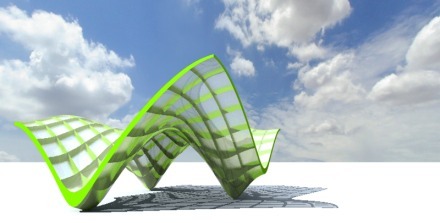
Second version of the form finding tool in processing. There are a few improvements to version one of the sketch:
triangulated point grid for more stability
points can move in x and z-direction now (only as long, as the structure is still buildable)
a better exporter, to wind up the bended girders. The sketch saves a pdf file for prototyping eg. on cnc laser cutting machines
Like in the first version of the sketch, the girder depth is calculated by the stress values of each point in the grid. While designing the form with the tool, you can see these values displayed in the stress map (take a look at the video above for a little demonstration).
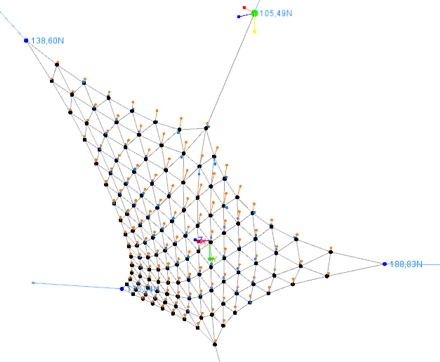
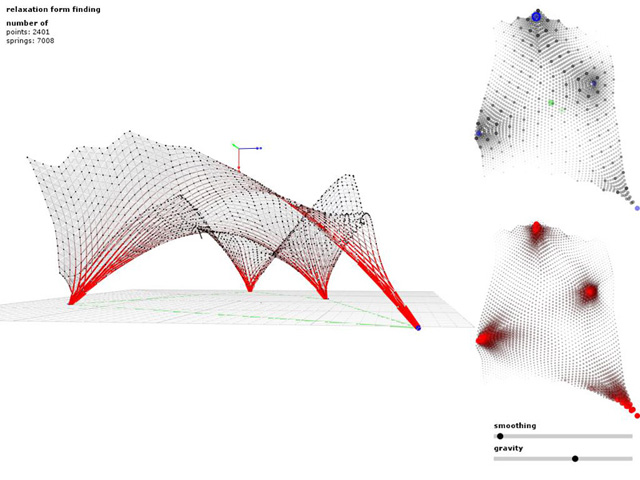
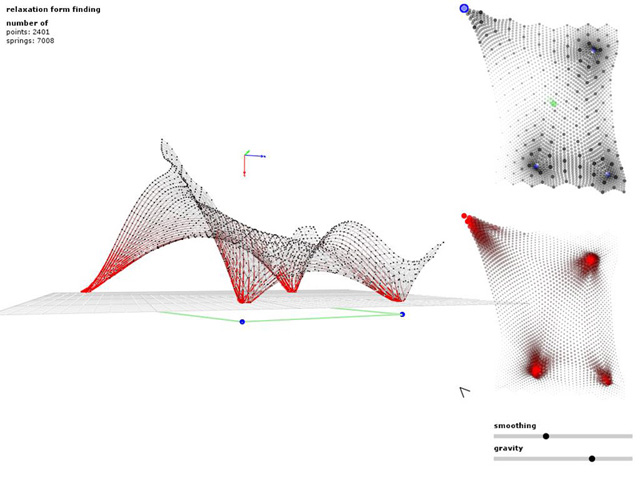
Form finding by dynamic relaxation in processing. This sketch is using the particle system to simulate a simple suspension model and embed it into an interactive tool.
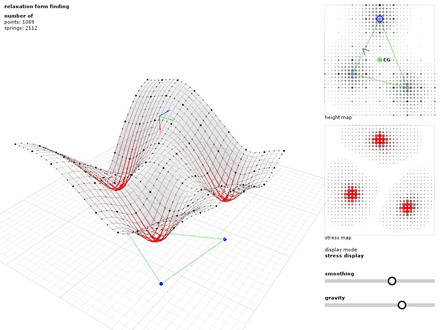
With the interface of the tool, the designer has the opportunity to control the form finding process. It is splitted in a 3d view and a section for control panels:
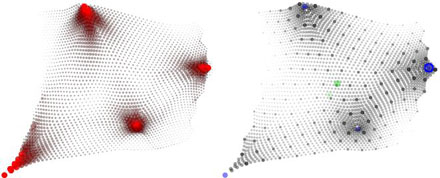
The height map visualizes the height of the roof, calculated in the physical model (y-values). The base points (blue) can be shifted and varied in number, while the model is adapted in real time. The center of gravity of the construction is represented by a green dot. The optimal center of gravity, calculated by the supports can be compared visually.
The stress map shows the calculated tension that occurs in the physical model of the gridshell. The girder depth is calculated by the tension of the surface at each point.
The structure can be modified by the smoothing algorithm:
a gaussian blur filter on the y-coordinates of the points.
the height correction, that brings the base points back to y=0 and stretches the structure to the original height by manipulating the initial shape (take a look to the video above for a demonstration).